See what every purchase costs in hours of your life.
That $80 purchase is more than money. LifeBurn turns it into the hours you worked to earn it, so you can decide if it is worth your time.
No bank connection
Check a purchase without linking an account.
Private by design
Your income and purchase details stay on your device.
No subscription
Pay once and keep every feature.
Money is abstract. Your time is not.
A price can feel harmless until you see the work behind it. LifeBurn makes that trade-off visible before a quick purchase becomes regret.
Morning Coffee
$5.00
2 cups · Regular
15 min
of your life
Lunch Delivery
$18.00
1 order · Standard
54 min
of your life
New Headphones
$150.00
1 pair · Pro Wireless
7.5 hrs
of your life
Examples use a $20 hourly rate.
Pause the impulse. Protect the hours.
LifeBurn is not another bank dashboard. It gives you a fast, private checkpoint between seeing a price and buying the thing.
Time Dashboard
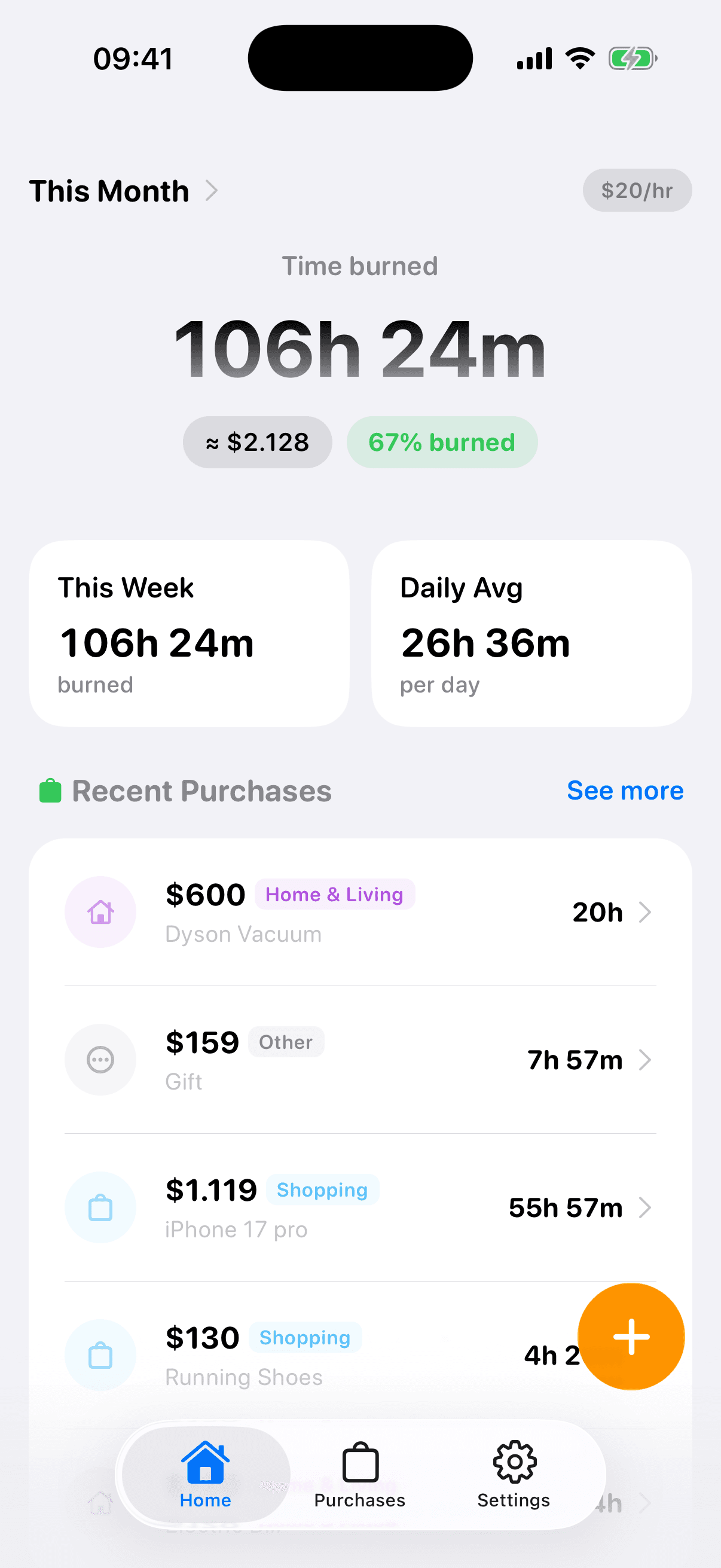
See daily and weekly spending in hours, not just dollars. The pattern becomes hard to ignore and easier to change.
Real Cost Log
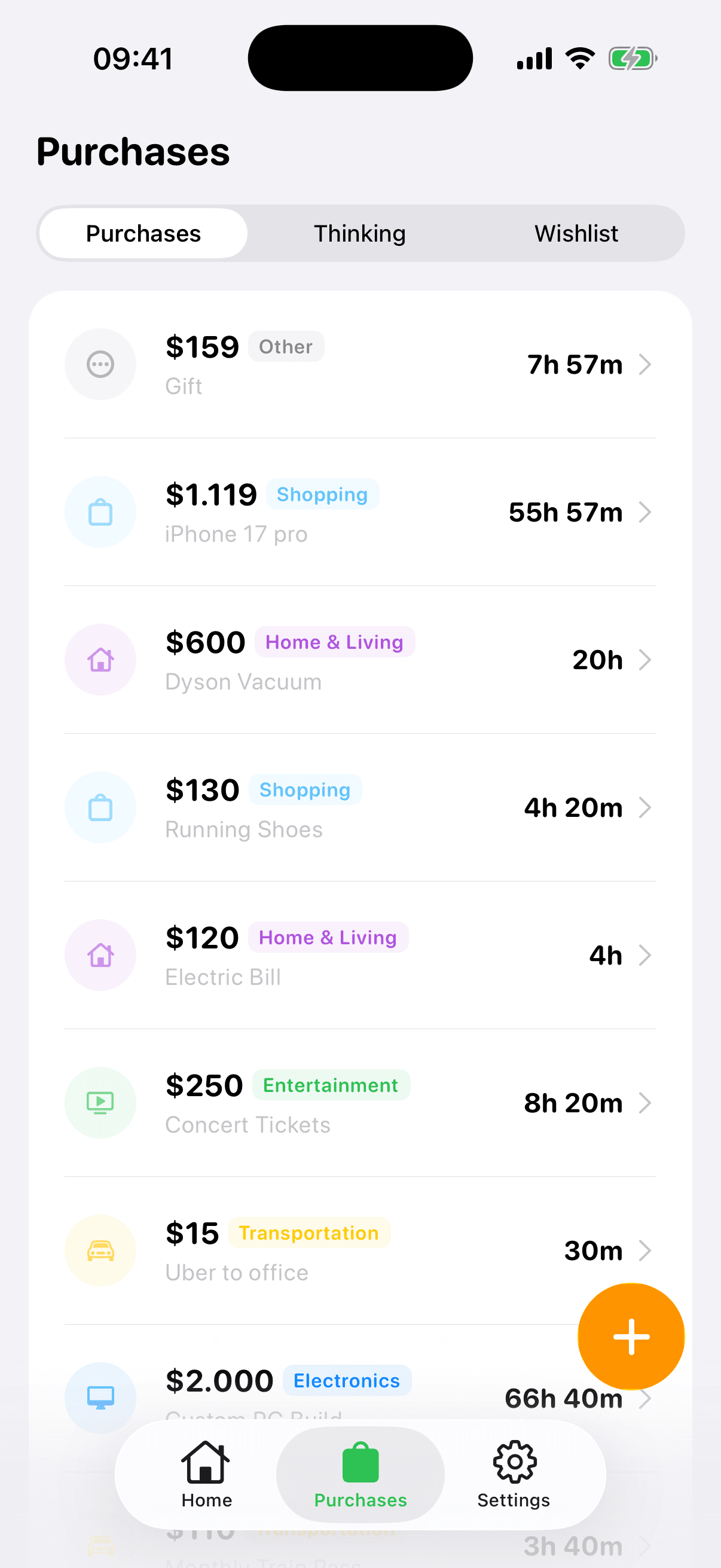
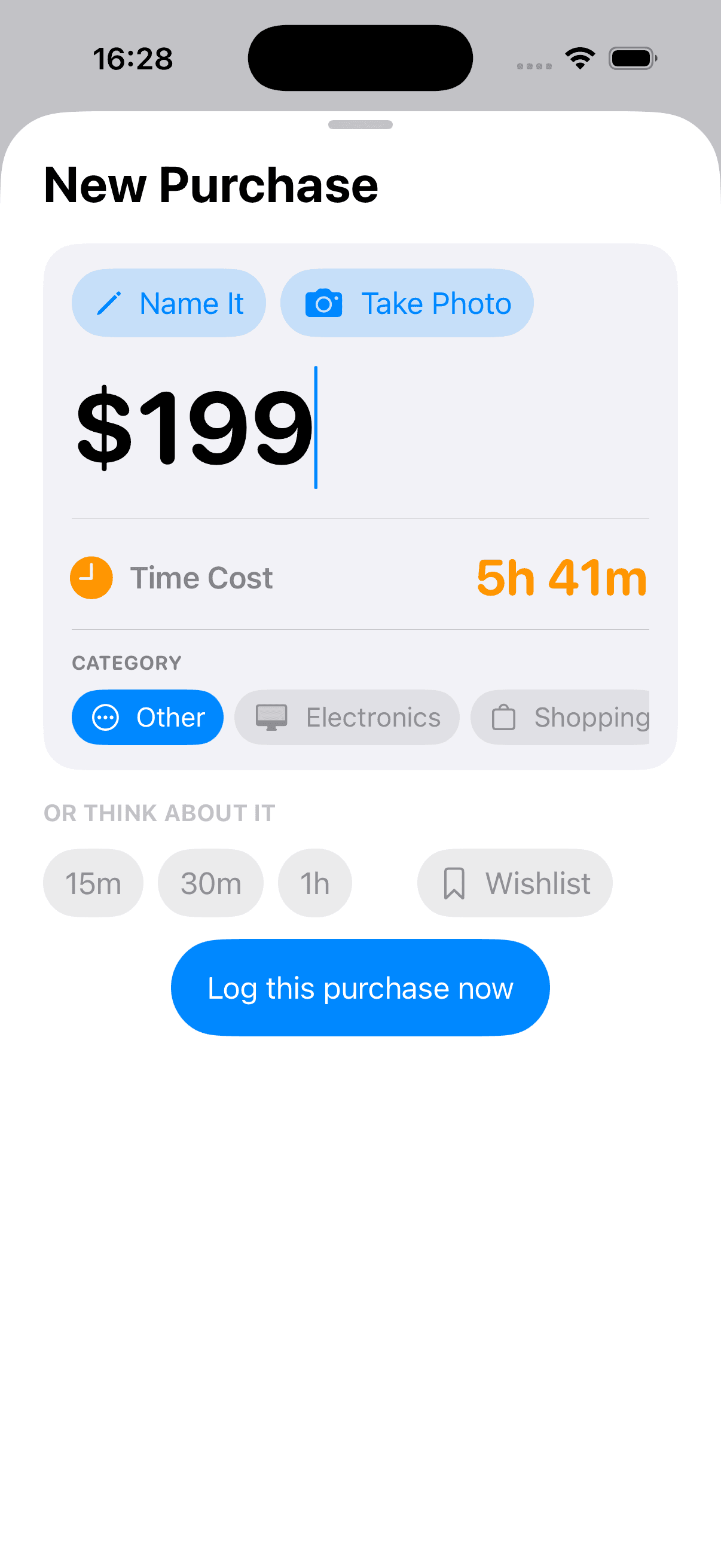
Check any price in seconds, then save the purchases you want to remember. No bank sync and no complicated budget setup.
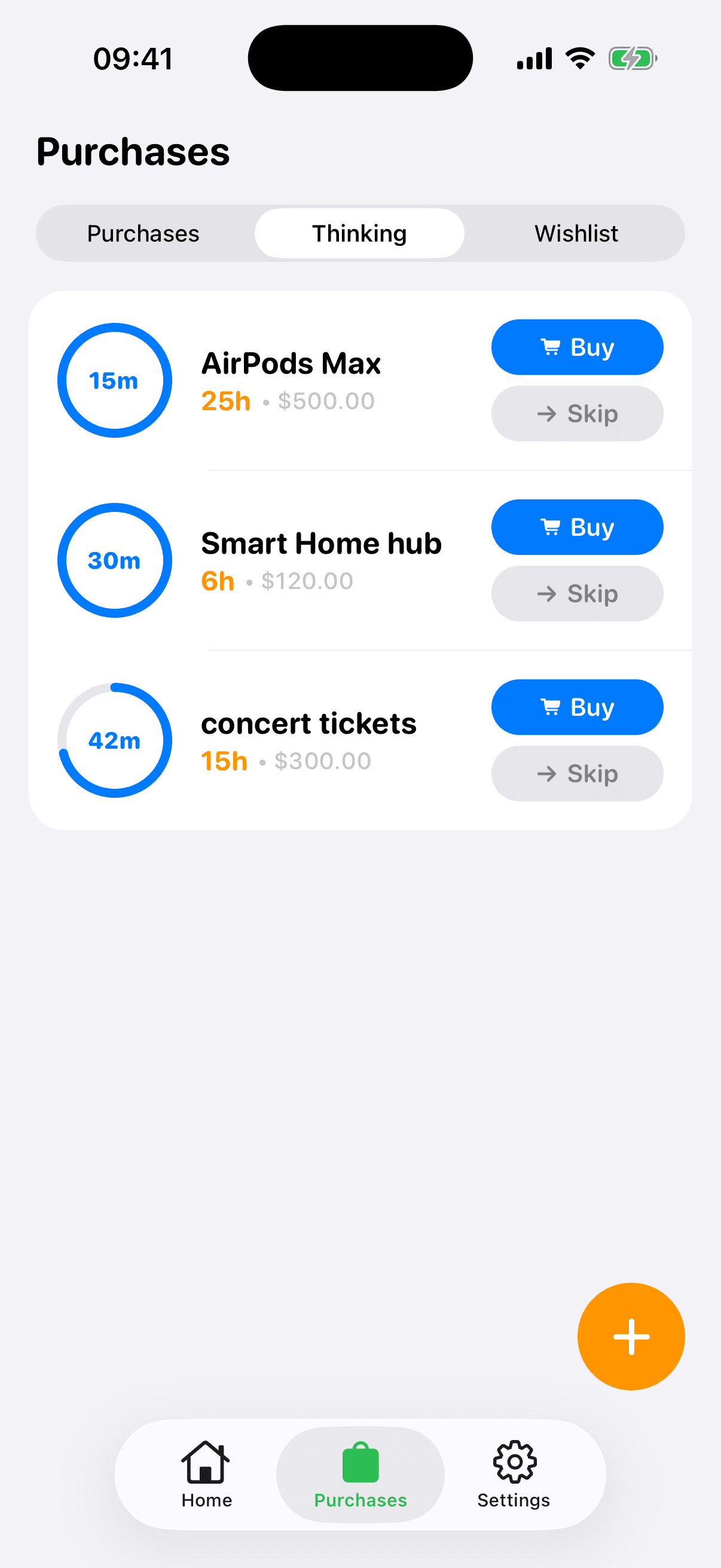
Cooling-off Timers
Save a tempting purchase and give it time. When the timer ends, decide with a clear head whether it is still worth those hours.
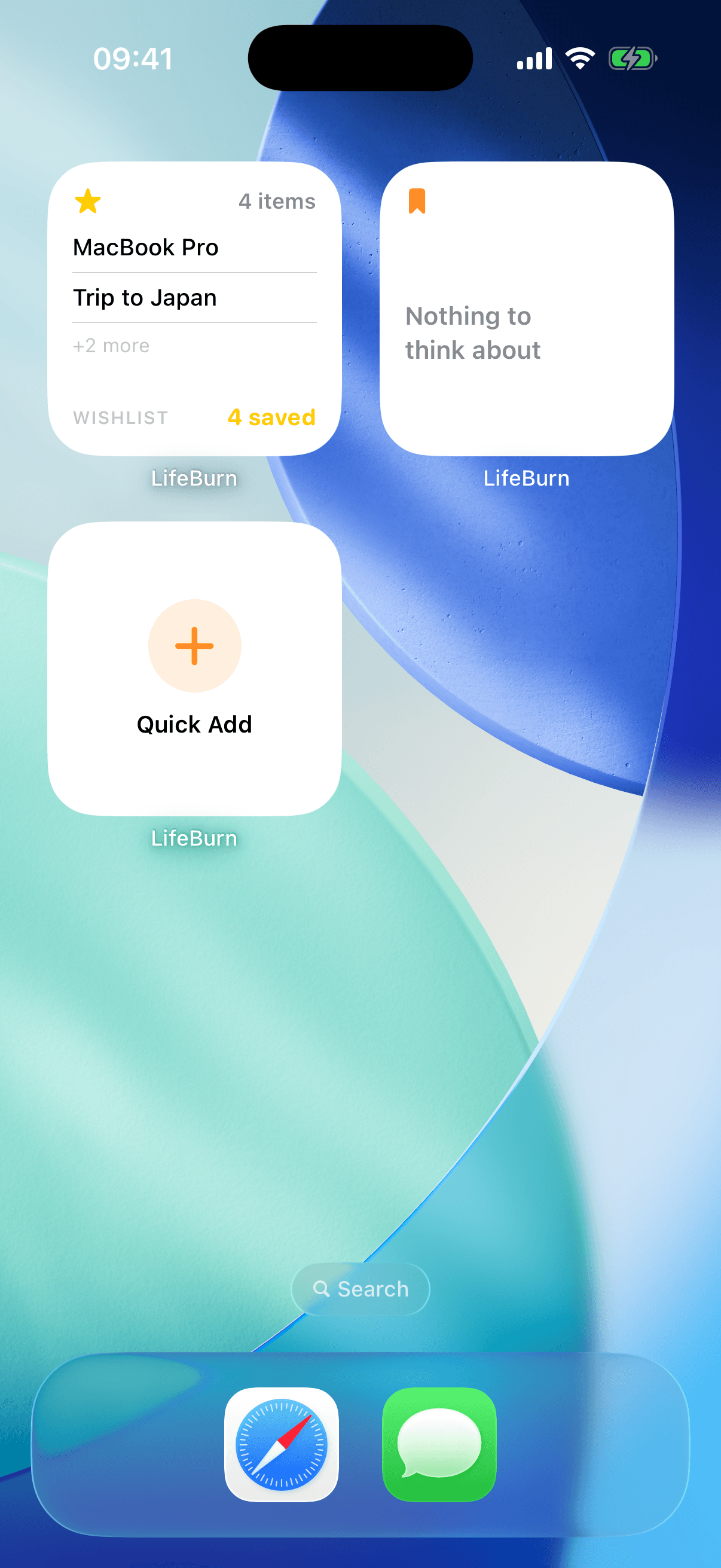
Widgets & Live Activities
Keep your time balance visible on your Home Screen or Lock Screen without opening the app.
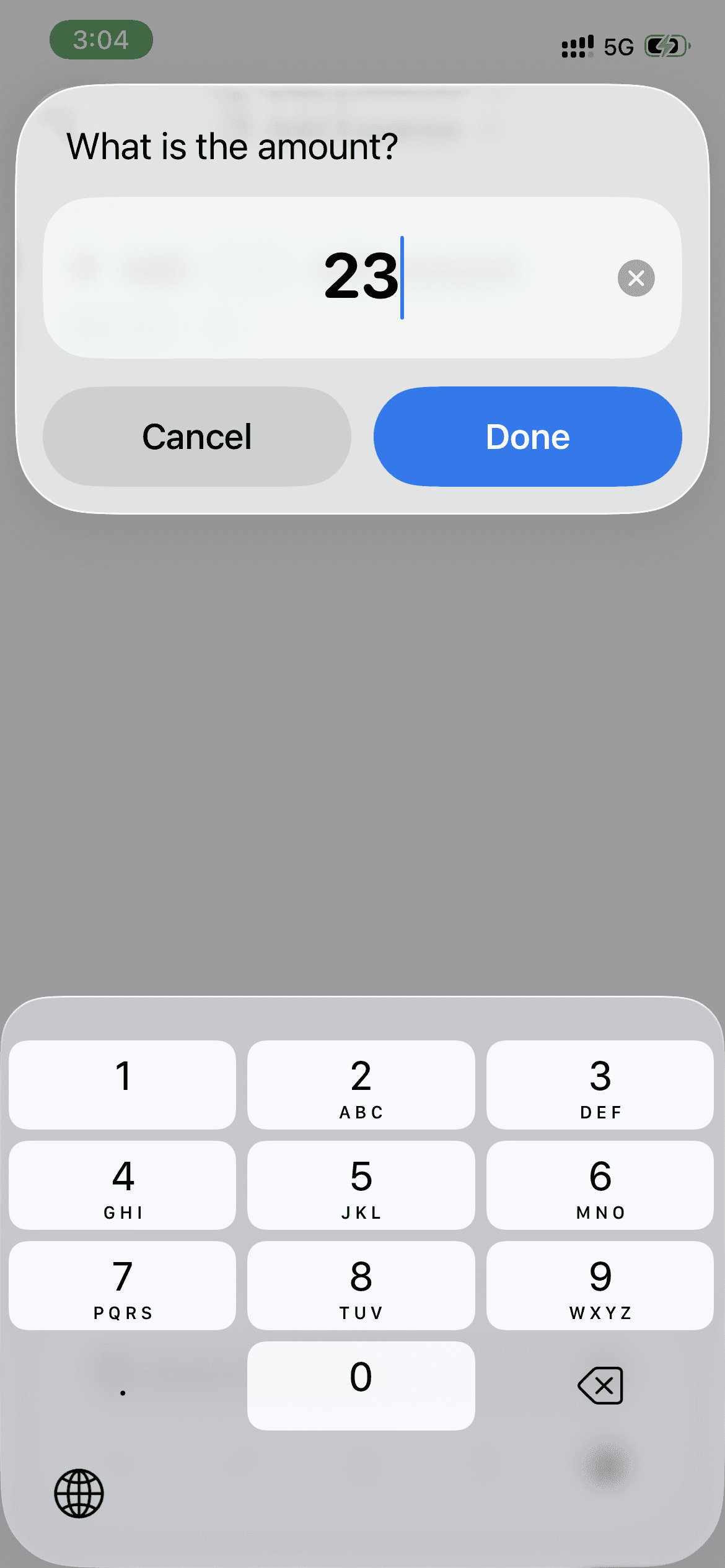
Quick Entry Shortcuts
Open quick entry with Back Tap, the Action Button, or an iOS Shortcut when a price catches your eye.
From price tag to better decision.
No bank connection. No budget spreadsheet. Just one useful question: how long did you work for it?
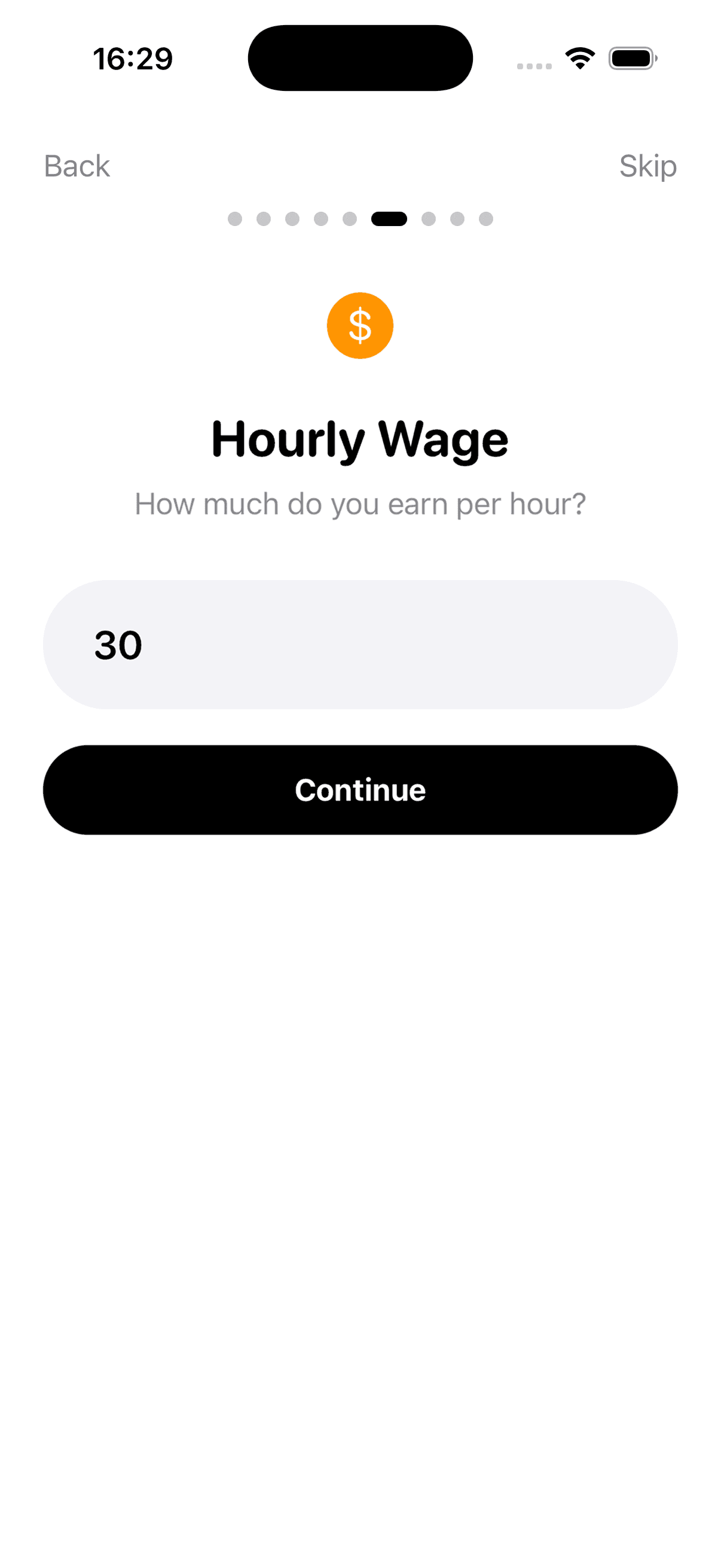
Set the hourly rate that reflects your take-home pay.
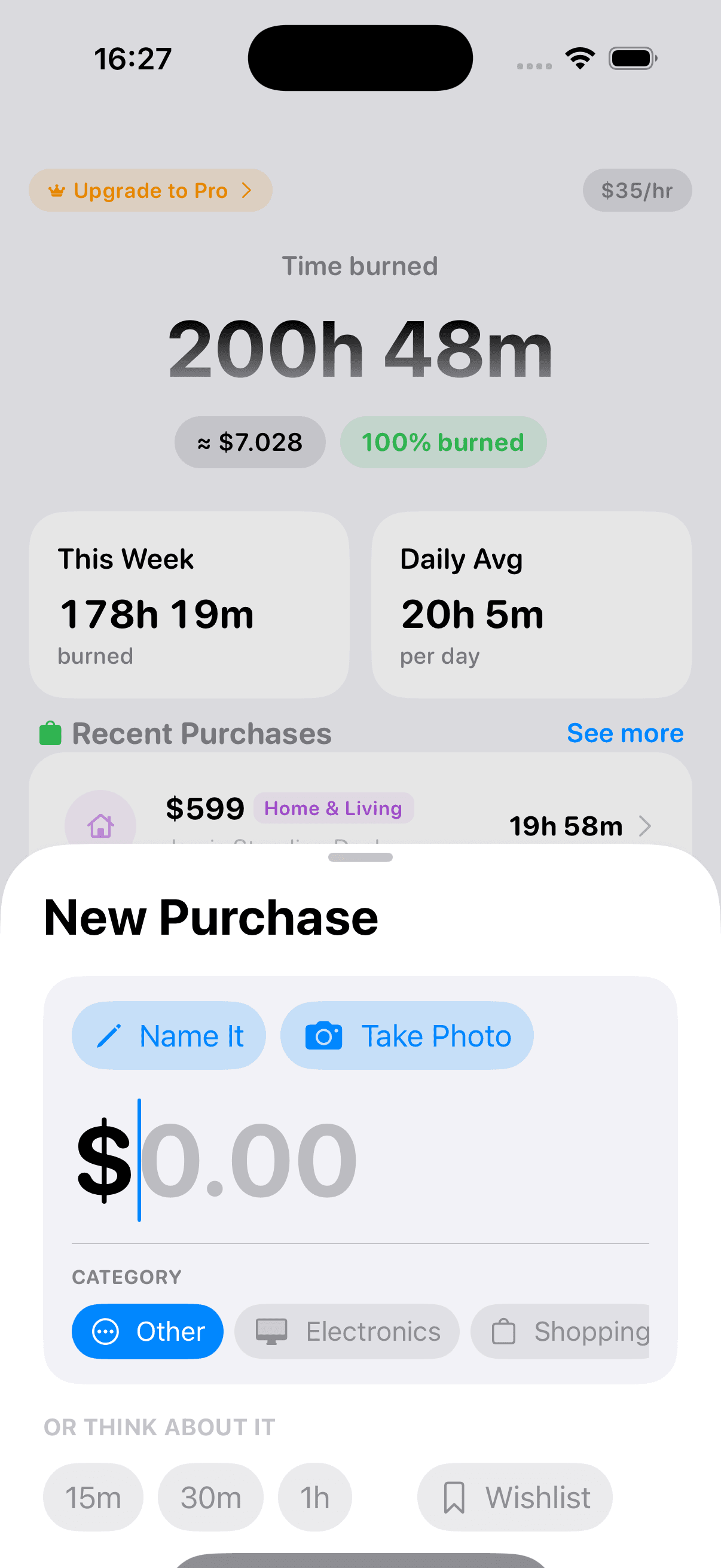
Enter a price and see its cost in hours and minutes.
Log it, cool off, and decide what deserves your time.
One purchase. No recurring bill.
Lifetime
- Unlimited purchases & tracking
- Think About It timers
- iOS Widgets & Live Activities
- Quick Entry via Shortcuts
- Time Dashboard & insights
- All future updates included
No subscription. No ads. No bank connection.
The details, before you decide.
How does LifeBurn calculate the time cost?
Set the hourly rate that reflects your take-home pay. LifeBurn divides a purchase price by that rate and shows the result in hours and minutes of work.
Do I need to connect a bank account?
No. LifeBurn uses manual entry, so you can check or log a purchase without giving the app access to your bank account.
Is my spending data private?
LifeBurn does not require an account. Your income profile and the purchases you enter are stored locally on your device.
Why is this a paid app?
LifeBurn is a $19 one-time purchase. There is no recurring subscription, and future updates are included.
Does it work offline?
Yes. The calculator and purchase log work on your iPhone without a bank connection.
Before you spend the money, count the hours.
LifeBurn gives you the pause most checkout screens do not. See the real cost, wait when you need to, and spend on what is worth your time.
Built for iPhone · $19 once · No subscription